

Your whole portfolio. Managed in one place.
For payment agents, ISOs and the office managers who run their books. Every processor, partner and merchant in one view, from your first account to the day you sell your book.
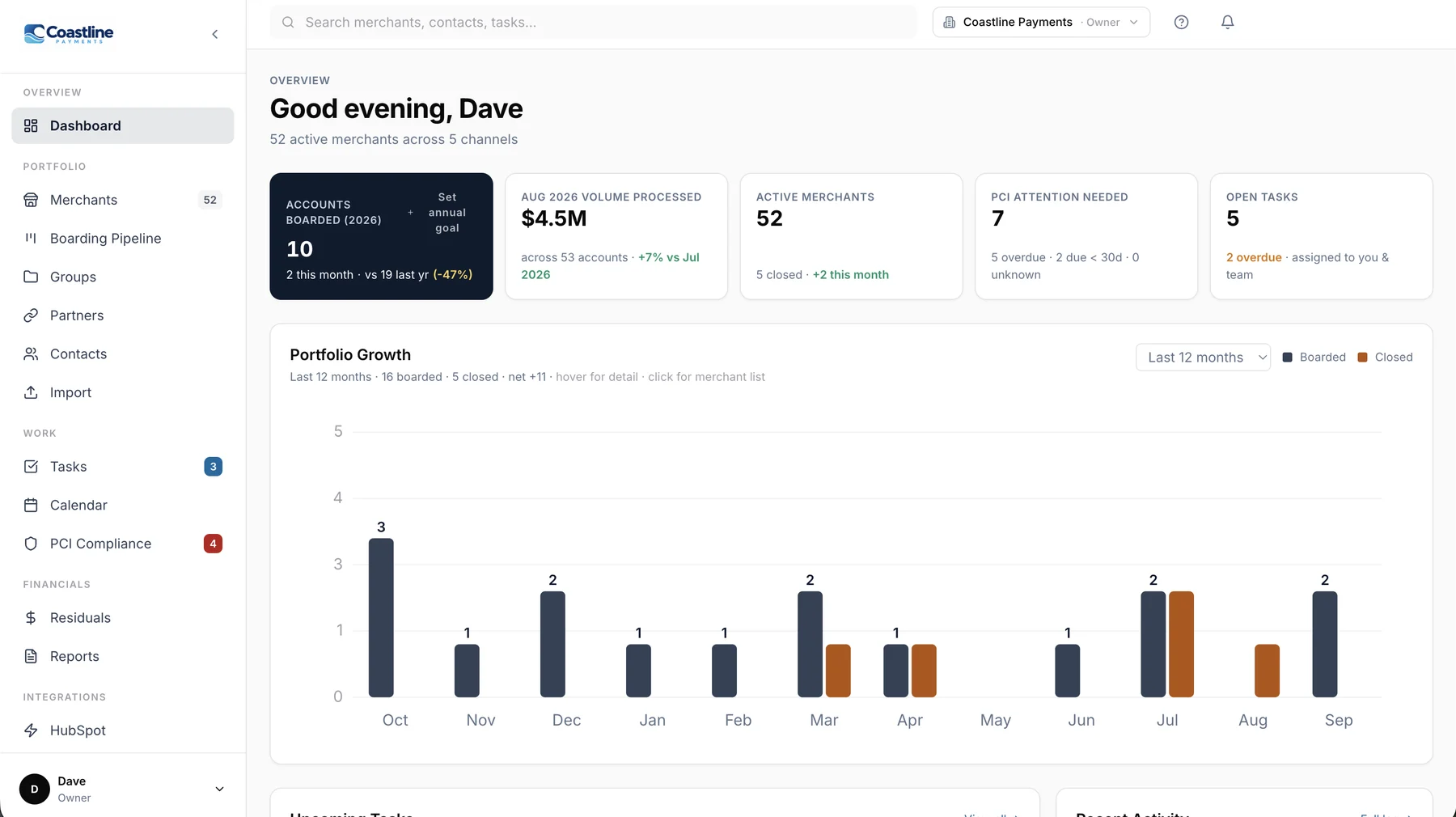
Bring your whole book in. AI does the mapping.
Every processor exports merchant lists, residual statements and PCI reports in its own format. Drop them in as they are. Portfolio Manager reads the major processors’ reports instantly, and for anything else AI Assist works out which column is which, then remembers the format for next month.
Any report, straight from the portal
CSV and Excel merchant lists and PCI reports, residual reports and PDF residual statements. No reformatting in a spreadsheet first.
Columns matched for you
Known processor formats are recognized automatically. For a new one, AI matches merchant name, MID, payout, PCI status and dates, and can reformat a messy report.
You check it before it lands
Preview every row. New merchants are created, existing ones get missing details filled in without overwriting your edits, and any import can be undone from history.
Your whole book of business in one place.
Residuals, PCI, follow-ups, billing and your team, for every merchant on every processor.
Import with AI Assist
Merchant lists, residuals and PCI reports dropped in exactly as your processor sends them. Major processors are read instantly; for anything else, AI maps the columns and remembers the format.
Reconcile month by month
Every channel side by side. Spot a missing or short payout the day it posts, and see what each merchant earns you.
Portfolio health and book value
Attrition, retention, concentration and an estimated book value, tracked from day one so your book is ready to be valued.
Every partnership in one place
Each processor, ISO and referral relationship with its own split, so every payout is checked against what you’re owed.
Bill your merchants
Charge merchants by ACH for equipment, monthly gateway or software fees and one-off costs, one-time or recurring, from their profile.
PCI compliance, handled
Every merchant's PCI status and due date in one list, with the right portal link and reminders before anything lapses.
Tasks that run themselves
Recurring reminders, templates, automatic PCI-renewal and welcome-call tasks, an email when a task is assigned to you, and a morning summary.
Boarding pipeline and calendar
Track prospects and new accounts through to live, and see follow-ups, PCI dates and tasks on one calendar.
Your office, your sub-agents
Invite reps and office managers with the right access, and give sub-agents a login that shows only their merchants and overrides.
Complete merchant profiles
Business, owners, contacts and documents in one place, with SSN, date of birth and tax ID stored encrypted and masked.
Security you can explain
Two-factor sign-in, encryption for sensitive data, role-based access, and a log of who viewed or changed what.
Works where you work
Your portfolio on your phone between appointments, your own logo on the workspace, and HubSpot deals that become merchants automatically.
Build a book a buyer will pay for starting from day one and your first account.
Buyers and lenders price a portfolio on net residual, attrition and concentration. Portfolio Manager tracks those numbers every month from the day you start, so when it’s time to sell, borrow against your book or just know what it’s worth, the history is already there.
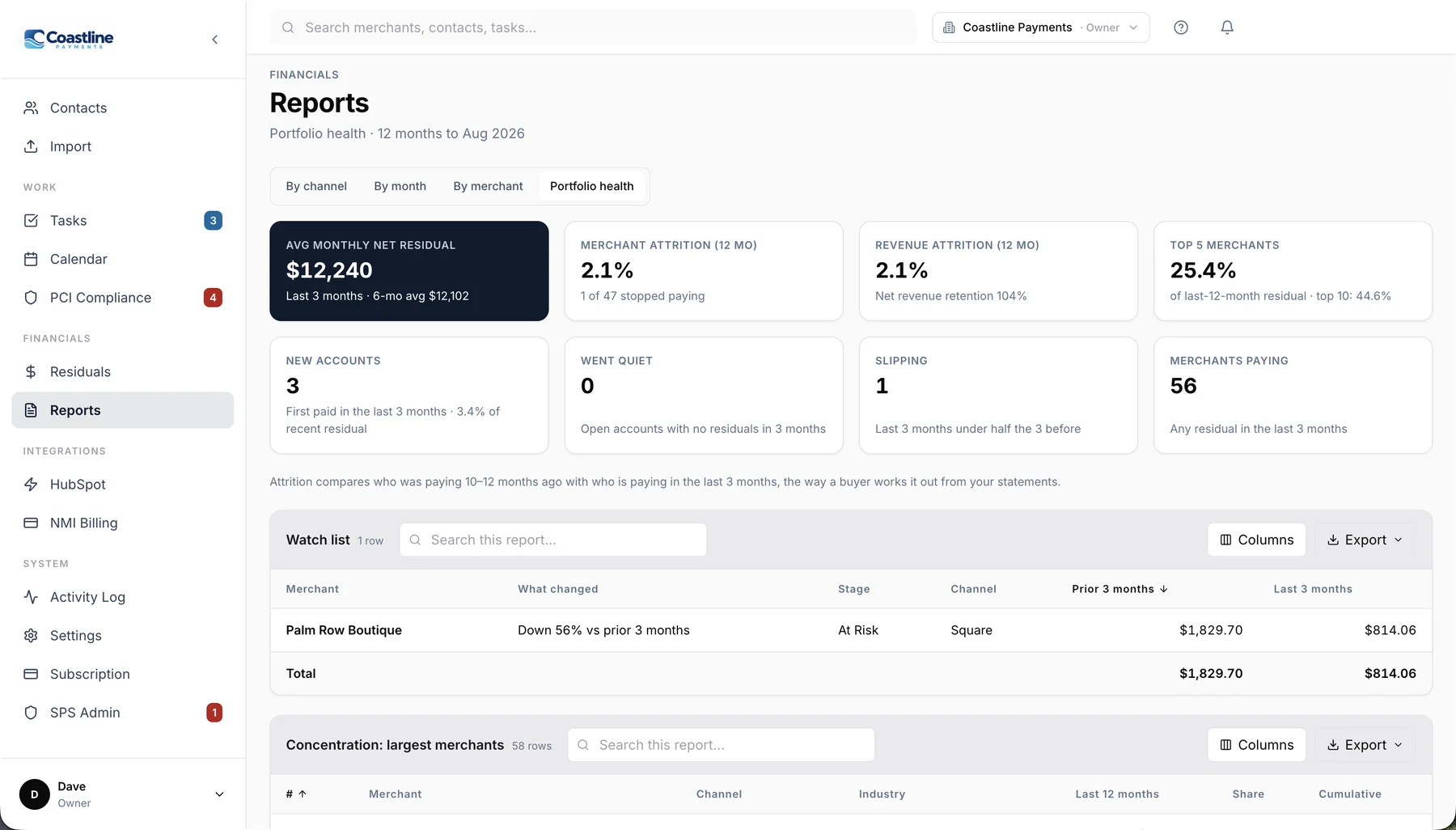
- Average monthly net residual, merchant and revenue attrition, and net revenue retention
- How much of your income your top 5 and top 10 merchants carry
- Mix by processor and retention by the quarter merchants first paid
- A watch list of accounts that went quiet or dropped by half
- Estimated book value at the multiple you choose
- A buyer packet to export, anonymized or with names and MIDs
Know what you’re owed. Catch what’s missing.
- Import each processor’s report as it comes
- Month-by-month grid across every channel
- Short or missing payouts stand out right away
- Reports you can sort and export to Excel
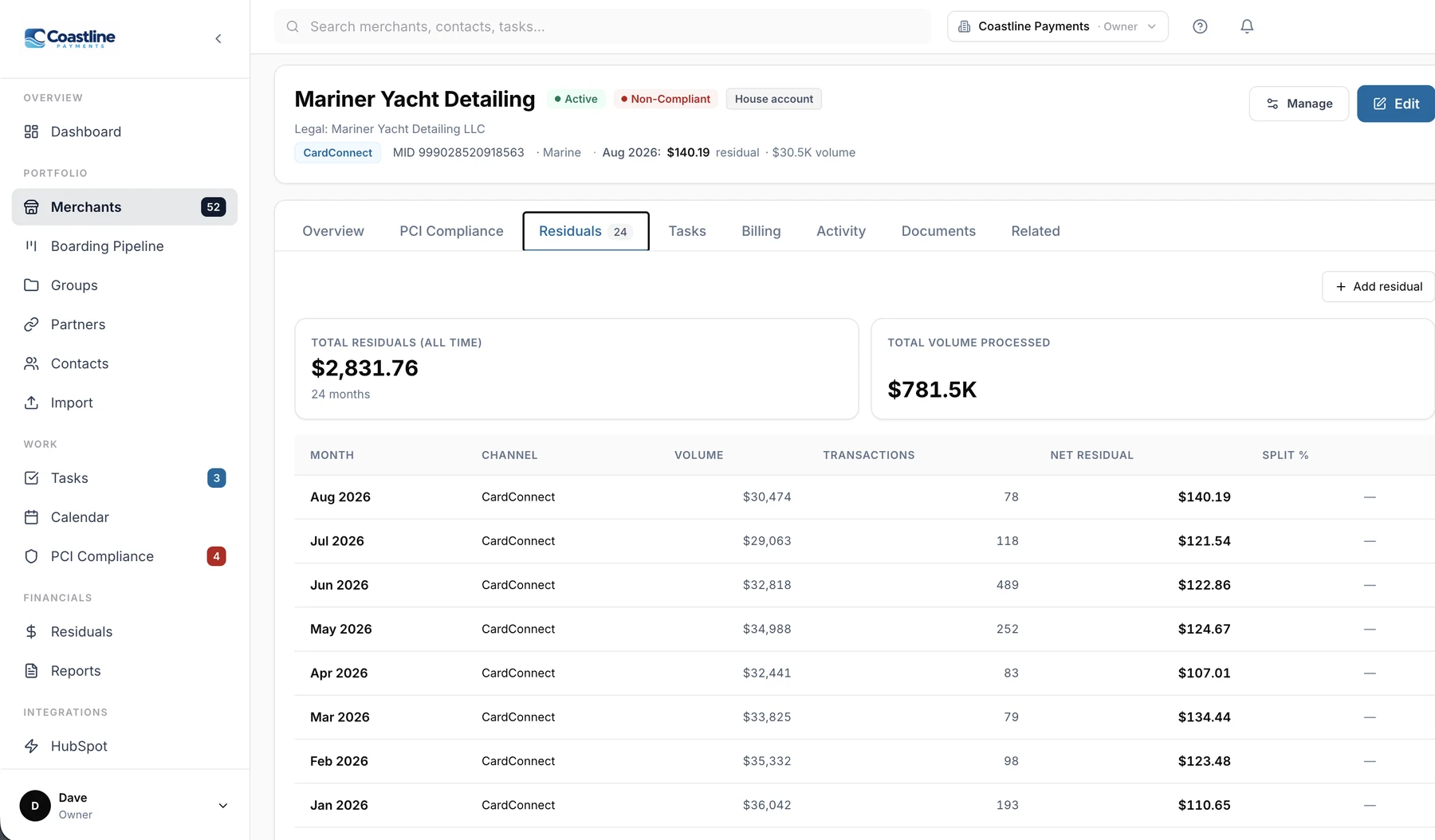
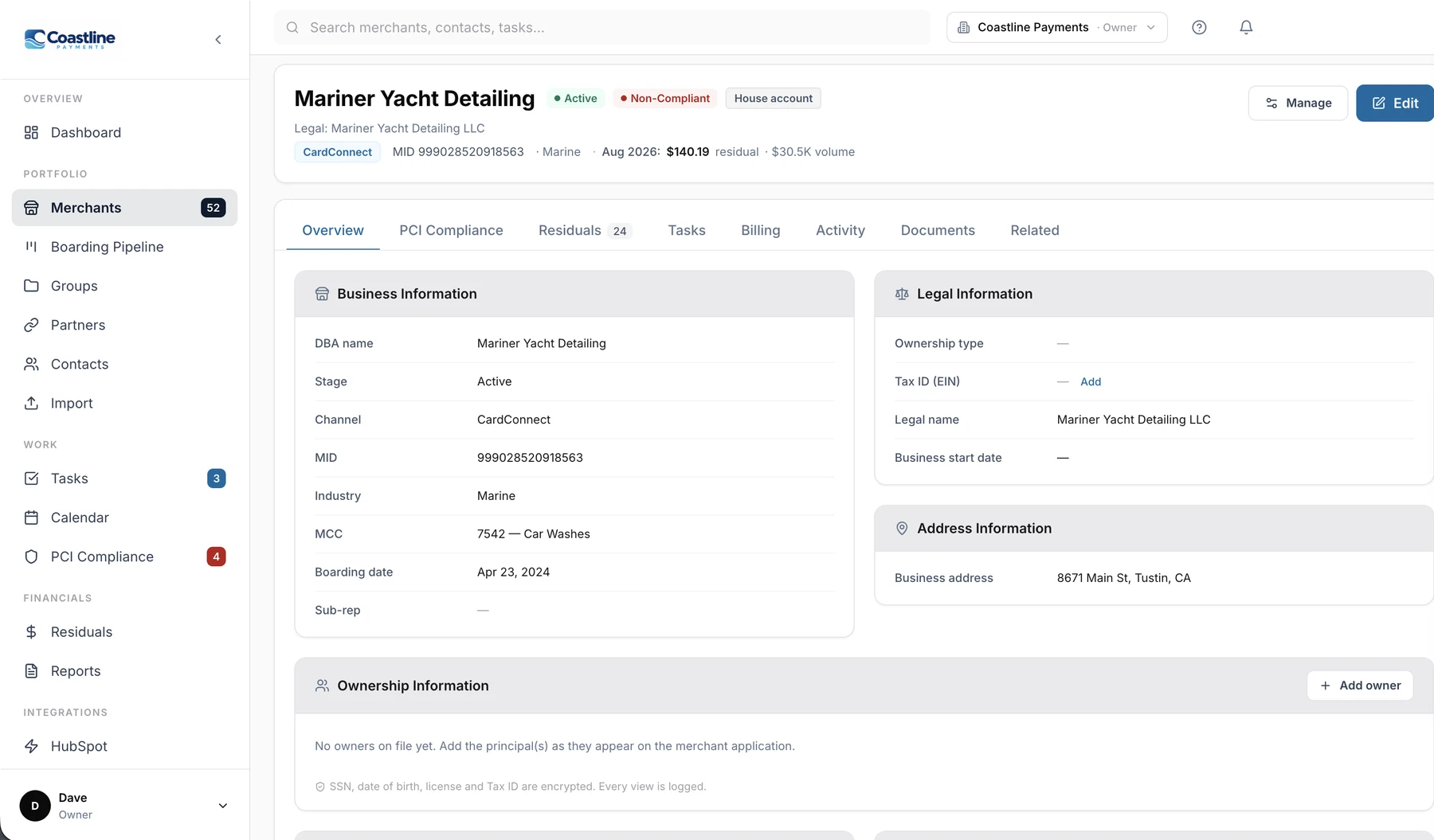
Every merchant detail on one screen.
- Business, owners and contacts laid out like a processor portal
- PCI status, tasks, billing and residual history in tabs
- Documents stored privately, opened through short-lived links
- Sensitive numbers encrypted and masked
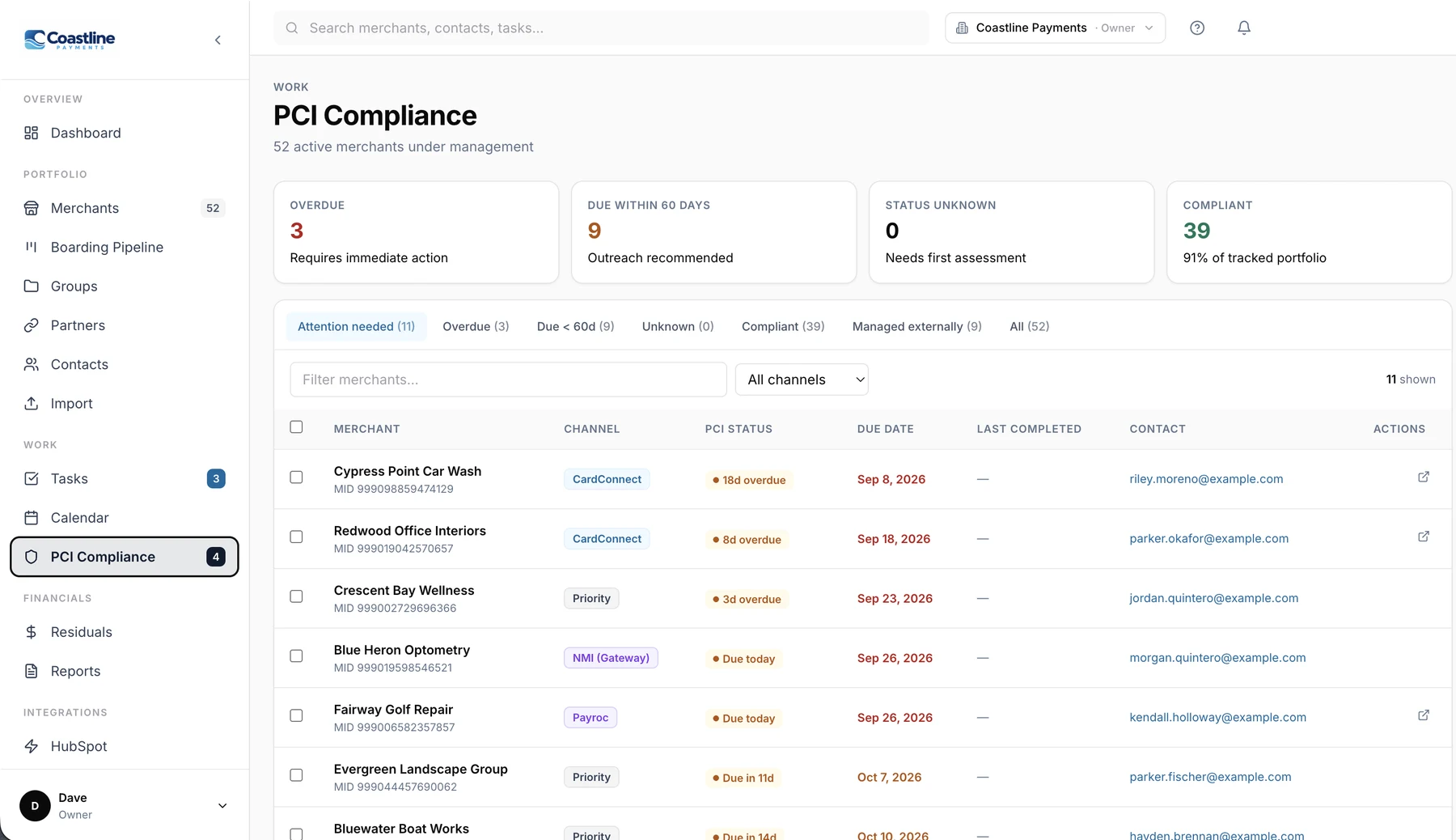
Nothing slips through the cracks.
- Every PCI due date in one list with the right portal link
- Automatic renewal and welcome-call tasks
- Recurring tasks, templates and snooze
- A morning email of what’s due, and an email when you’re assigned something
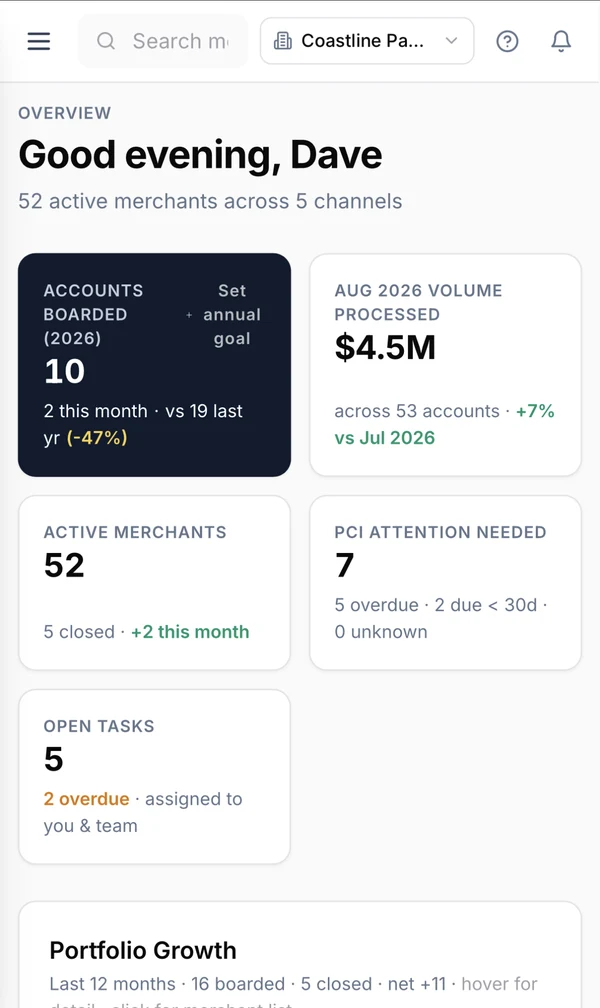
Your whole portfolio in your pocket.
Check a merchant's residuals, PCI status or open tasks between appointments. Same data, same workspace, built for a phone screen.
- Dashboard, merchants, residuals and tasks on the go
- Search any merchant by name or MID
- Nothing to install: sign in from your phone’s browser
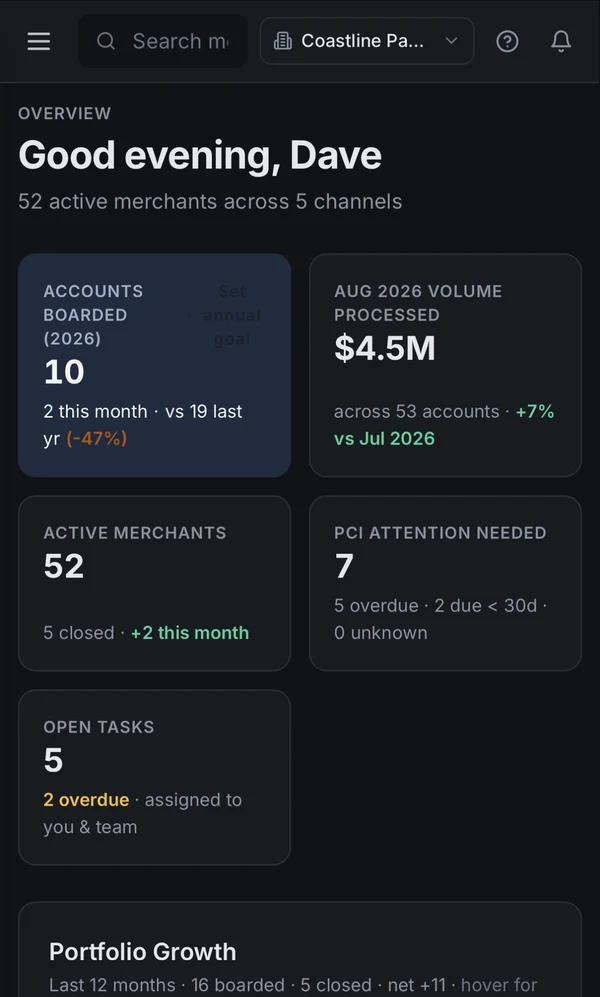
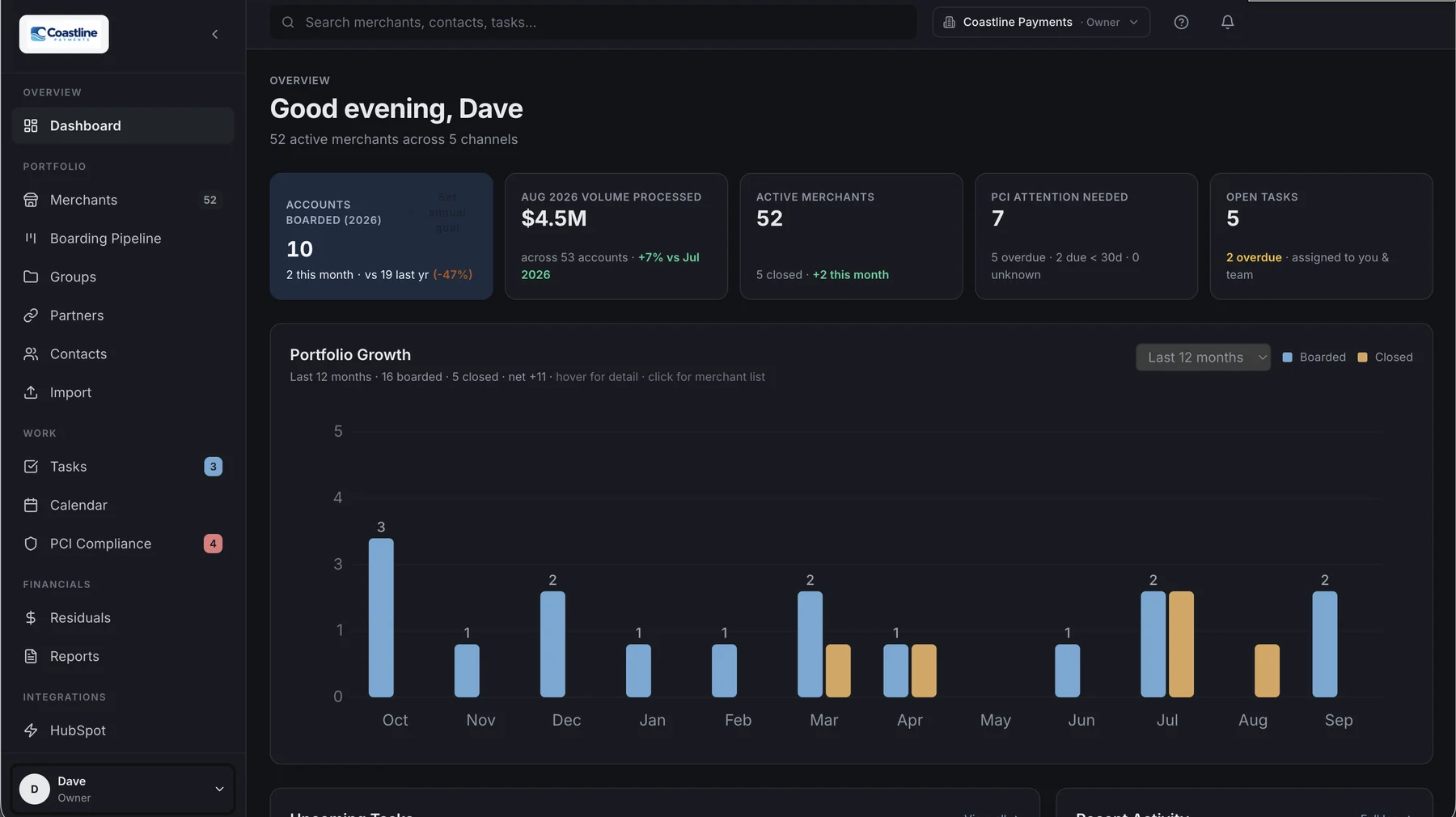
Easy on the eyes after hours.
- Switch between light, dark, or match your device
- Charts, badges and your own logo stay readable
- Each person picks their own setting
Start free for 14 days.
Pay by ACH or card after your trial. Cancel anytime.
Pro
For an individual agent and a small team.
$77.50/month by card
- 3 team members
- 3 sub-agent logins
- Up to 250 merchants
- 5 GB of document storage
Agency
For offices with reps and sub-agents.
$154/month by card
- 10 team members
- 15 sub-agent logins
- Up to 1,000 merchants
- 25 GB of document storage
Enterprise
For larger ISOs and multi-office groups.
- More than 1,000 merchants
- Custom user and sub-agent limits
- Help moving your data in
- Direct support line
Common questions
Who can see my data?
Your workspace is yours. Other customers can't see it, and Strategic Payment Solutions' own agency runs in its own separate workspace like any other customer. Inside your workspace you choose who sees what: roles control dollar amounts and settings, and sub-agents see only their own merchants.
Which processors does it work with?
CardConnect, Payroc (including Axia/i3), Priority, NMI, Green Payments and Square reports are read automatically. For any other processor, AI Assist maps the report's columns once and remembers the format.
How do I get my merchants in?
Import the merchant lists, residual reports and PCI reports you already download from each processor. Known formats are read automatically, and AI Assist maps anything new. Merchants are created as you import, later imports fill in missing details without overwriting what you've entered, and any import can be undone.
Can I bill my merchants from it?
Yes, by ACH through your own NMI gateway account. If you don't have one, you can request it inside Portfolio Manager and we'll set it up.
How is sensitive information protected?
Owner SSNs, dates of birth, tax IDs and bank details are encrypted before they're stored and shown masked. Viewing one is logged. Two-factor sign-in can be required for any role.
What happens after the free trial?
Add a payment method (ACH or card) to keep going. If you cancel, your workspace stays readable for 90 days so you can export your data.
See your whole portfolio this week.
14-day free trial. Cancel anytime.